
The first thing merchants ask an AI tool for is not a product description. It is a job: fill the weight and dimensions on every draft product, generate meta descriptions where they are missing, clean up the variants on a batch of imported products, audit the whole catalog before a Google review. The description generator is in there, but it is one job of many, and it is rarely the first.
The design decision that decides whether any of this is safe is the same for every job: the tool shows the rows before it writes, and writes only what you approve. A model that writes straight to the store is a fast way to change a thousand products to the wrong value. A model that proposes, shows, and waits is a fast way to change them to the right one. Everything below assumes the second kind.
This page is what merchants actually asked in their first conversations, what those requests have in common, how a read differs from a write, where the tool stops, and what to check in any AI tool before it touches a store you depend on.
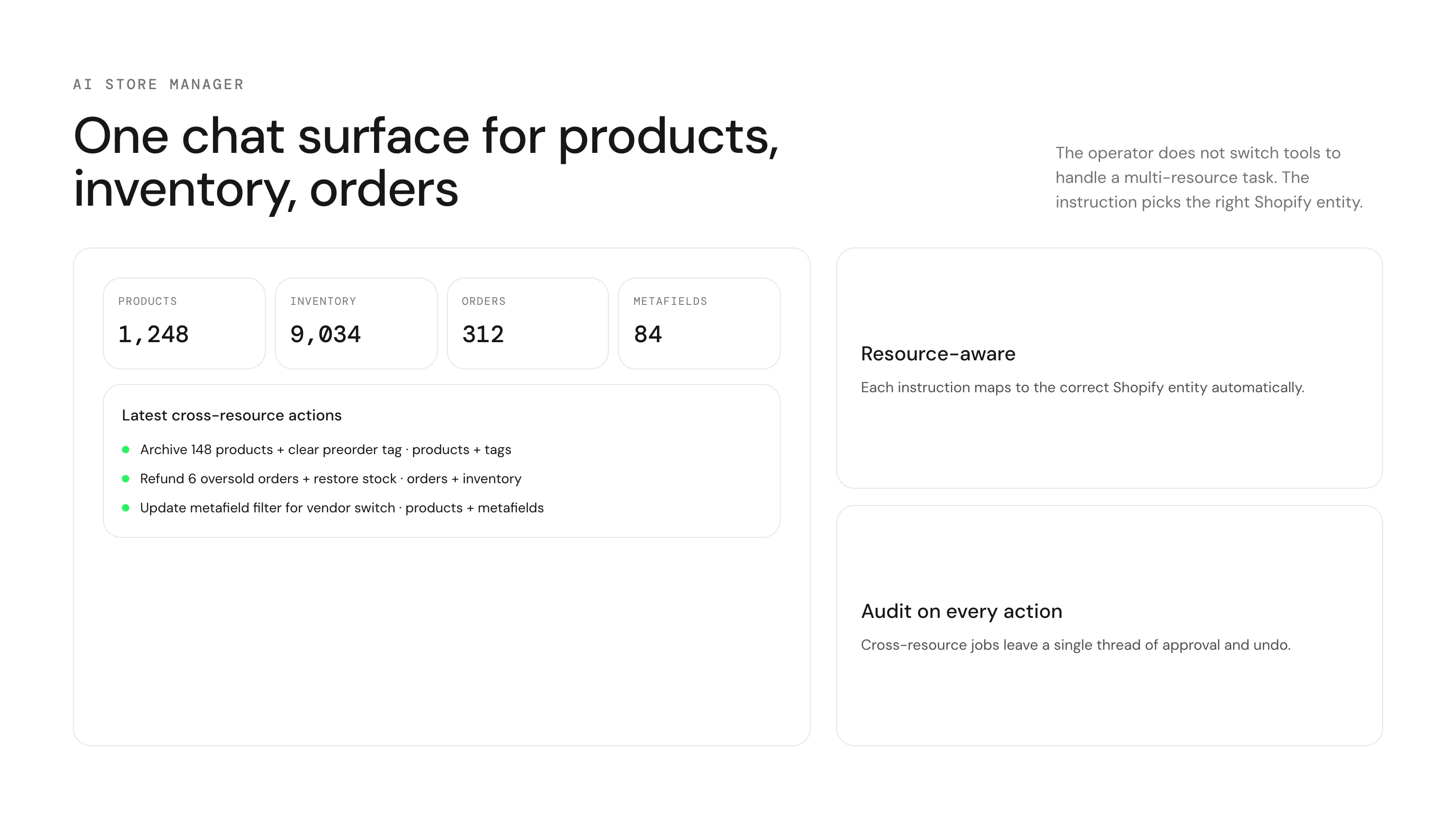
What merchants actually asked for
Five stores, their first messages, lightly trimmed. None of them asked for a description generator. All of them asked for a job with a scope and a rule.
- "Fill metafields custom.height, custom.length, custom.width in cm and the weight in kg for all draft products."
- "Generate meta field descriptions for products missing SEO fields."
- "Clean up and reorganize variants, cheap to most expensive, make the names more professional, remove anything that mentions a country or mainland."
- "Add the item specifics at the end of each current description and populate them. Do this for all of my products."
- "Audit active products for image compliance. Do not make changes yet. First audit and report. Paginate through every product."
What these have in common
Each one is a scope ("all draft products", "products missing SEO fields", "active products") plus a rule ("in cm", "cheap to most expensive", "remove anything that mentions a country"). Each one is a few hundred rows in the admin, which is past the point where a person does it by hand and short of the point where it is worth building a spreadsheet. None of them start in a file. They start as a sentence, because that is how the person thinking about the store thinks about it.
And each one is a write the merchant cannot see by eye at that size. Two questions came up in every first conversation, in almost these words: "How many products are you applying this change to?" and "Is this change for all of my items?" The tool has to answer those before it writes, in the first line of the preview, or the merchant is approving a count they had to guess.
The fifth request is different in kind: it says "do not make changes yet". That merchant had been through a bad bulk edit before. The distinction they were drawing, between looking and changing, is the one that the rest of this page is built on.
Reads and writes
Reads are questions: how many, which ones, show me, audit this. They change nothing and need no approval. The image-compliance audit above is a read: every active product, every image checked by a vision model for promotional text, watermarks and supplier logos, and a report with totals and the first flagged rows. A read on a large catalog takes longer and costs more than a read on a small one, and the estimate is shown before it runs; it never writes.
Writes go through a plan. The tool reads the products in scope, builds one row per change with the current value and the new value, shows the count, and waits. Approval is a signature on the exact rows shown; if the rows would change (another job ran, an order took stock), the approval is void and the preview is rebuilt. After the write, every row is read back from the store and compared to what was intended. Rows that did not match are listed.
The previous values are saved per row at write time. Revert is a new job built from them, with its own preview, approved like any other write. What cannot be reverted is creation and deletion, because there is no before for a thing that did not exist, and the preview says so before those jobs run.
The jobs, by field
After a few hundred conversations the requests sort into a short list. Each row links to the case that walks through it, with the instruction as written and what the preview showed.
| Job | What the merchant said | Read or write |
|---|---|---|
| Metafields, weight, dimensions | "Fill the weight in kg and dimensions in cm on all draft products" | Write, typed per row |
| SEO titles, meta descriptions, alt text | "Generate meta descriptions where missing; alt text for every image" | Write, generated per row |
| Prices and inventory | "Raise every price in Winter by 10 percent, round to .99, skip sale items" | Write, with revert |
| Import cleanup | "Remove Ships From, rename Color 3 to Navy, sort variants by price" | Write, previewed by variant |
| Merchant Center audit | "Audit every active product for Google, do not change anything" | Read |
| Product creation | "Create a hoodie with sizes S to XL and colors Black, Navy, price 59, draft" | Write, one-way |
| Catalog questions | "Which products have no vendor? How many have only one image?" | Read |
Reads need no approval. Writes always show the rows first. One-way writes are labelled.
Generated text: where AI is actually the point
Most bulk edits do not need a language model. A percent on a price is arithmetic. What needs a model is the text that has to be different per row: an alt text that names the product in this image, a meta description that summarises this product, a title rewritten to a pattern with exceptions. That is the job where "AI" is the feature rather than the interface.
The rule that keeps generated text safe is the same as for any write: it is previewed per row, and it is generated from the product's own data. An alt text is written from the product the image belongs to, not from the picture and not from the internet. A meta description is written from the description, and a product with no description gets an empty row and a note, not an invented paragraph. Facts the product does not carry (a material, a barcode, a country of origin) stay blank.
Read the generated rows the way you would read a junior copywriter's first batch: the first twenty carefully, then a sample. Exclude the ones that read wrong before approving; the rest write. A tool that generates text and writes it without showing it is the one to be afraid of.
What a good preview looks like
The preview is the whole safety model, so its shape matters. Five things it should show, in this order.
- The count, first. "Applies to 214 variants on 61 products." If that is not the number you expected, stop here.
- One row per change, with the current value and the new value side by side. A summary is not a preview.
- The reason each row is in scope. "Tagged winter, not on sale." This is how a too-wide filter is caught.
- What is one-way. Deleted variants, created products, cleared images, called out before approval.
- The estimate, before the run. A large catalog changes the estimate, not whether the job is allowed.
Where it stops
Facts that are not in the product data are not invented: a barcode, a material the tags do not mention, a description for a product with no data at all. The field stays blank, and the report says which rows were left blank and why. A made-up barcode is a worse problem than a missing one.
A supplier feed with the values already in columns is a spreadsheet job. A migration between platforms is a spreadsheet job. The tool is for the change that starts as a sentence, and it says so when the request is a file job, rather than doing a slow version of what Matrixify does well.
Very large jobs are better run as several scoped jobs, by vendor or by collection, with separate history entries. Not because of a cap, but because the preview for a whole catalog is a table nobody reads end to end, and the revert for a whole catalog is a bigger thing to approve than the revert for one vendor.
Judgement calls stay with the merchant. "Make the names more professional" becomes a concrete map (Color 1 is Black, Color 2 is White) that the merchant edits before the rename runs. The tool proposes; it does not guess that Color 3 is Navy on its own.
What to check in any AI tool for Shopify
The category is new enough that the listings all sound alike. These checks separate a tool that proposes from a tool that writes. Run them on a test store or on ten products before the real catalog.
- Does it show the rows before writing, with current and new values, or does it write and report? Only the first is safe.
- Does it state the count before the rows? Ask it for a change you know matches 40 products and see whether it says 40.
- Can you approve part of a plan? Exclude three rows and see whether the other rows still write.
- Does it save the before values per row and show a revert preview? Run a tag on ten products and revert it.
- Does it label one-way changes? Ask it to delete a variant option and see whether it warns you which variants go.
- Does it invent facts? Ask it to fill barcodes and see whether it refuses.
- Does it distinguish reads from writes? A question should not need approval; a write should always need it.
- What does it do when the store changes under it? Approve a plan, change one product in the admin, and see whether the tool notices.
What "AI store management" is not
It is not autonomy. The tools merchants keep using are the ones that do exactly what was said and nothing else, show it first, and stop. A tool that "optimises your catalog" on its own schedule is a tool that changes prices while you sleep, and there is no version of that merchants want once they have seen the first surprise.
It is not a replacement for a file when the values are in a file, or for a scheduler when the job is on a calendar. It is the layer for the request that arrives as a sentence and needs a preview before it touches the store. That is a large share of the requests, and it is the share nobody had a good tool for.
The one rule
The tool proposes. You approve. Nothing writes in between. If a tool cannot describe itself in those three sentences, test it on ten products before it sees a thousand.
Terms used on this page
- Read: an instruction that produces a report and writes nothing. Needs no approval.
- Write: an instruction that changes the store. Always previewed; always approved.
- Plan: the set of rows a write will change, with current and new values. The thing you approve.
- Scope: the products or variants a job touches. Stated in the first line of the preview as a count.
- Before value: the value of a field at write time, saved per row. What a revert restores.
- One-way: a write no revert covers. Deleting a variant, creating a product.
- Generated text: per-row text written by a model from the product's own data. Previewed like any other value.
Questions
Is this ChatGPT for Shopify?+
A chat interface, yes. The difference is what sits behind it: a read of your actual catalog, a plan with one row per change, an approval gate, and saved before values for a revert. A general chatbot can write a description; it cannot show you 214 rows and wait.
Can it change my store without asking?+
No. Reads need no approval because they change nothing. Every write shows the rows and waits. That is the whole design.
Does it write product descriptions?+
Yes, per row and previewed, from the product's own data. It is one job among many and usually not the first one merchants ask for.
What if it gets the scope wrong?+
The count is the first line of the preview. If it is not the number you expected, nothing has been written yet; refine the sentence and look again.
Can I undo what it did?+
Yes, from history, as a new job with its own preview. The before values are saved per row at write time. Creation and deletion are the exceptions and are labelled before they run.
Does it work on a large catalog?+
Yes. A large catalog changes the estimate and the run time, not the eligibility. Very large jobs are better scoped by vendor or collection so the preview and the revert stay readable.
Does it replace Matrixify or a bulk-edit app?+
No. Files stay with the file tool; scheduled tasks stay with the scheduler. It is the layer for requests that start as sentences.
What should I try first?+
A question. "How many products have no alt text on any image?" It costs nothing to approve because there is nothing to approve, and the answer tells you whether the tool actually read your store.
Related
- What merchants do with ApiMateSix jobs with the instruction, the preview and the limits.
- Audit a Shopify catalog before a Google Merchant Center reviewThe read from this page, check by check.
- Bulk edit SEO titles, meta descriptions and alt textGenerated text, previewed per row.
- Shopify bulk editor vs CSV vs APIWhere the chat layer fits among the others.
Run this on your own catalog
Install from the Shopify App Store. Every write shows its rows before it runs, and applied jobs can be reverted from history.