
Compare
ApiMate against the other Shopify bulk editors
A comparison is useful when it helps a merchant pick the right tool for a specific job, so each page is written around where the change starts. Every one says where the other app is the better choice. Pricing, ratings and scope carry a verification date and are refreshed when a vendor ships something that changes the answer.
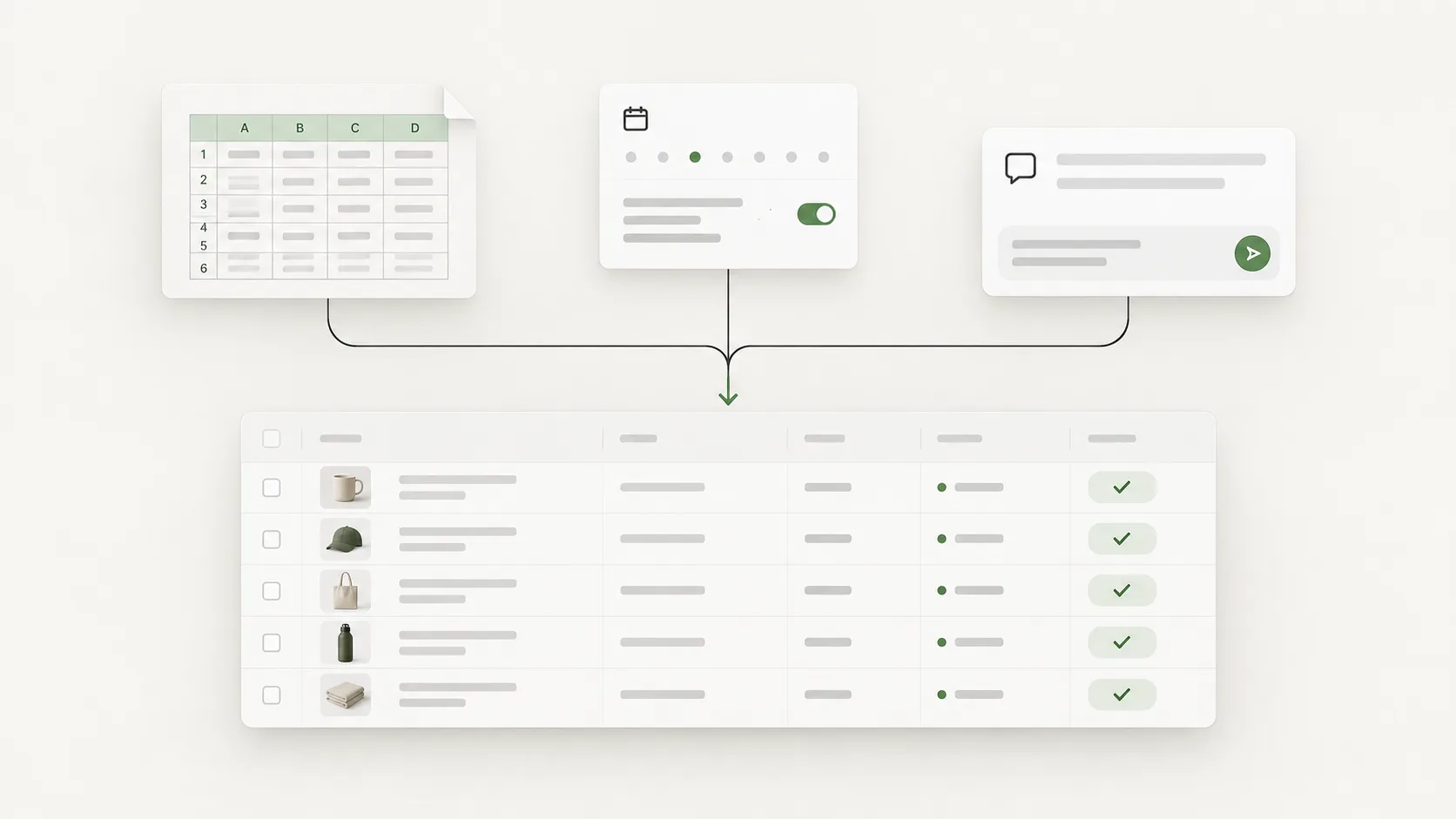
Head to head
One app at a time
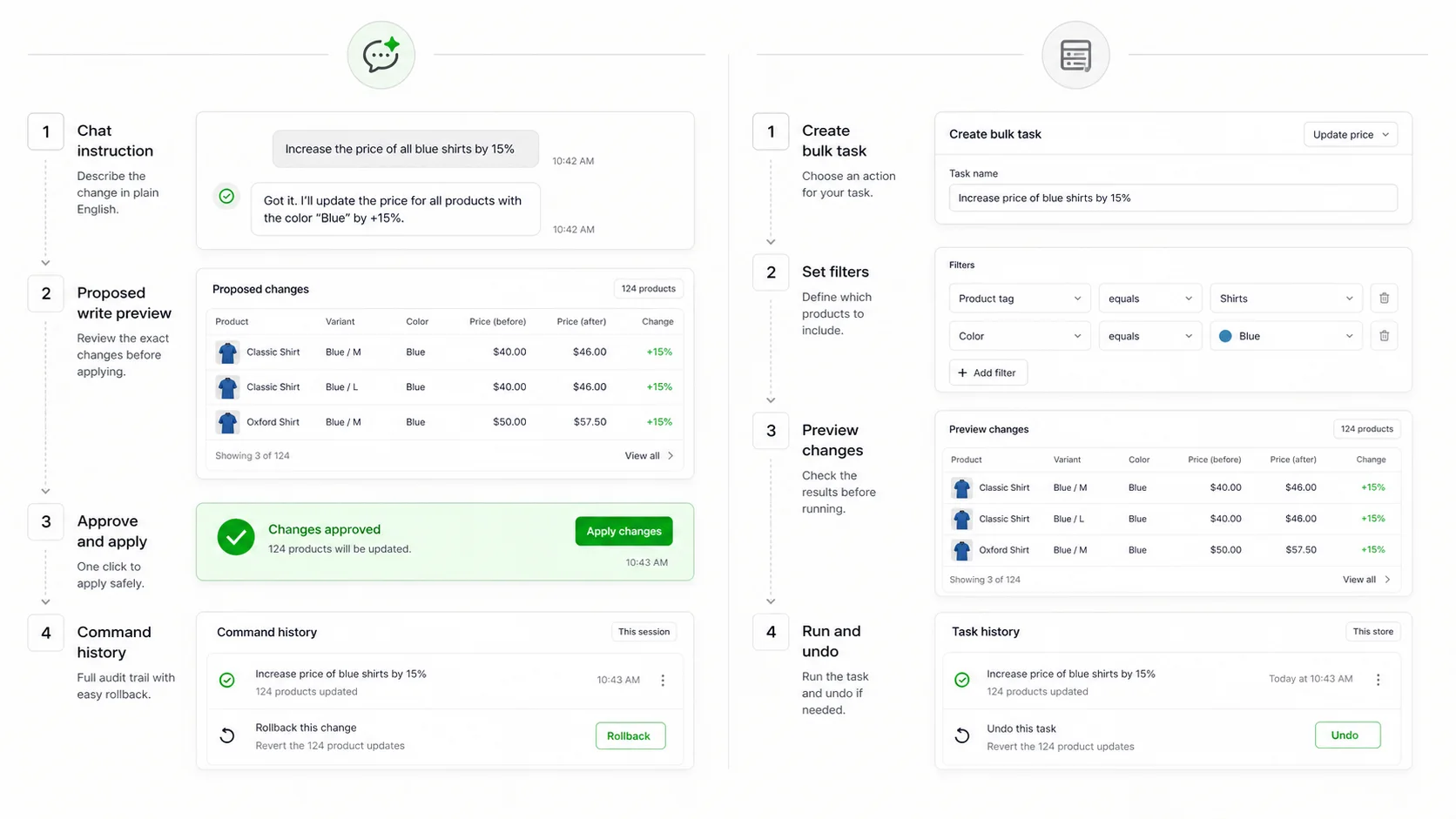 vs Ablestarverified 14 Sept 2026
ApiMate vs Ablestar
Choose Ablestar when the same edit runs every week and you want to save it as a task. Choose ApiMate when each request is different, arrives as a sentence, and needs a preview before it touches the store.
Read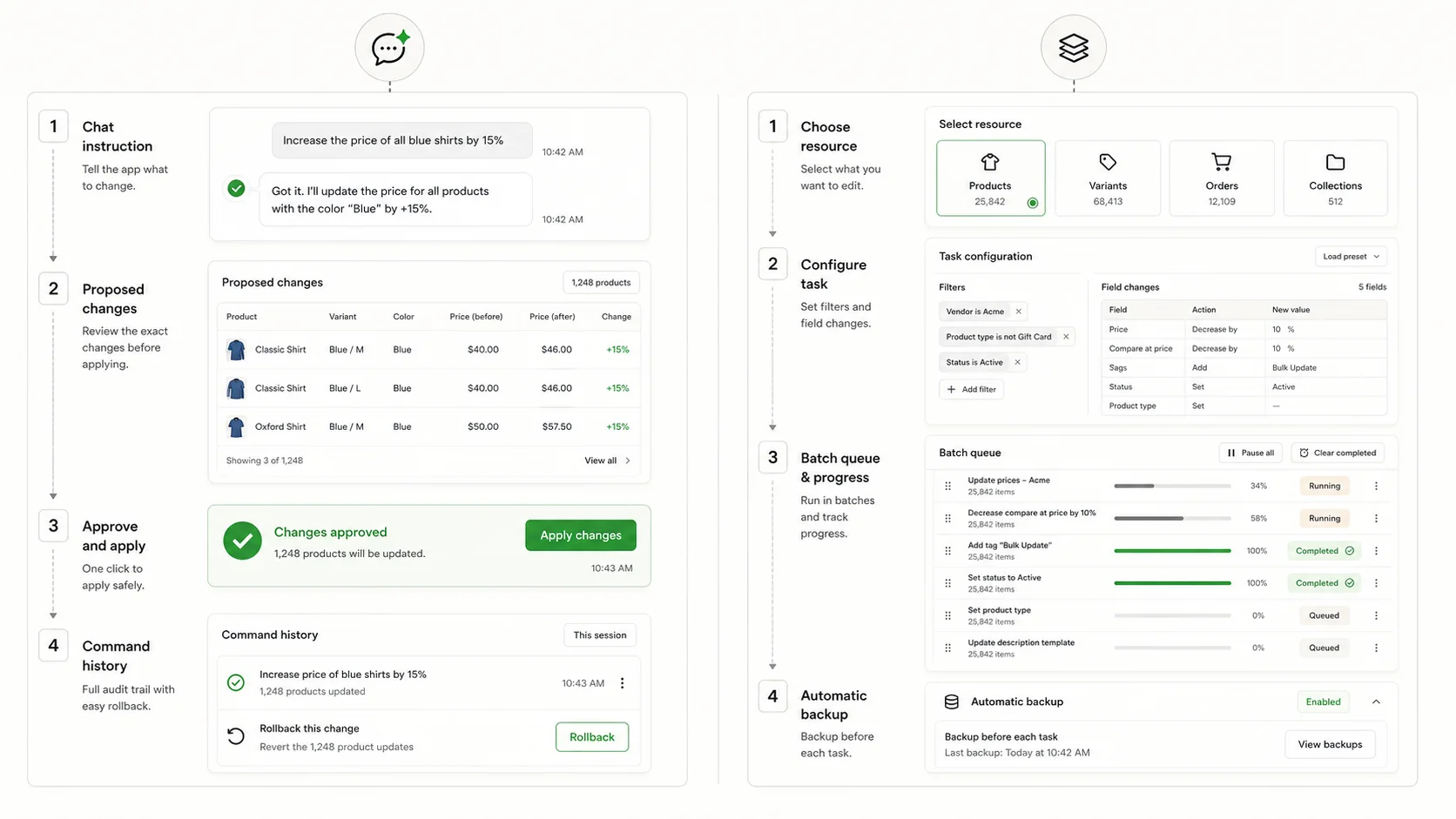 vs Hextomverified 14 Sept 2026
ApiMate vs Hextom
Choose Hextom when you run high-volume classic batch edits on a budget and are fine configuring tasks. Choose ApiMate when the job is a sentence from a person, needs a row preview before it writes, and you do not want to think about per-task caps.
Read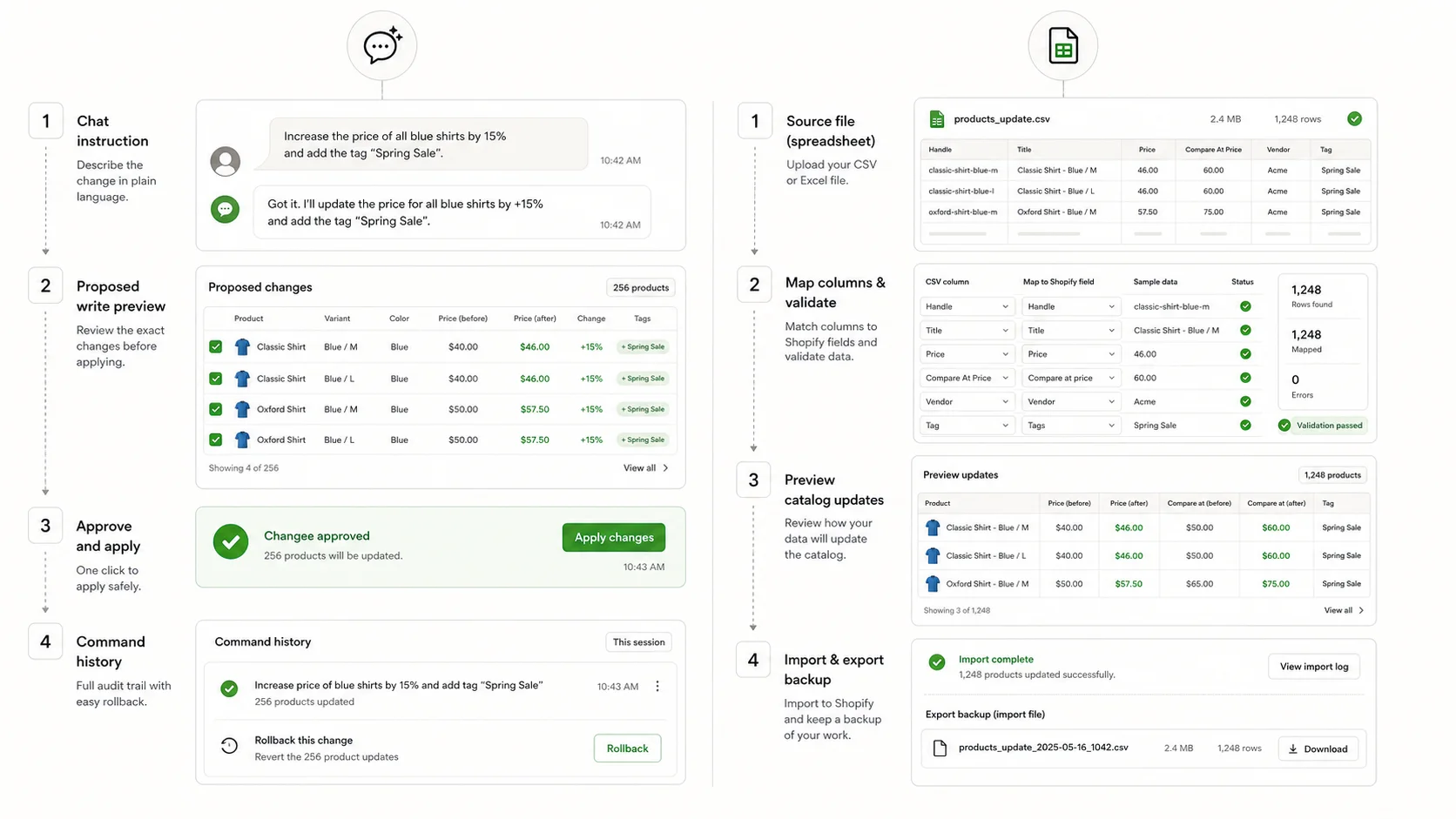 vs Matrixifyverified 14 Sept 2026
ApiMate vs Matrixify
Choose Matrixify when the values already sit in a file: a migration, a supplier catalog, a scheduled feed. Choose ApiMate when the change is a rule with conditions, a question first, or per-row text, and you want a preview and one approval instead of a re-import.
Read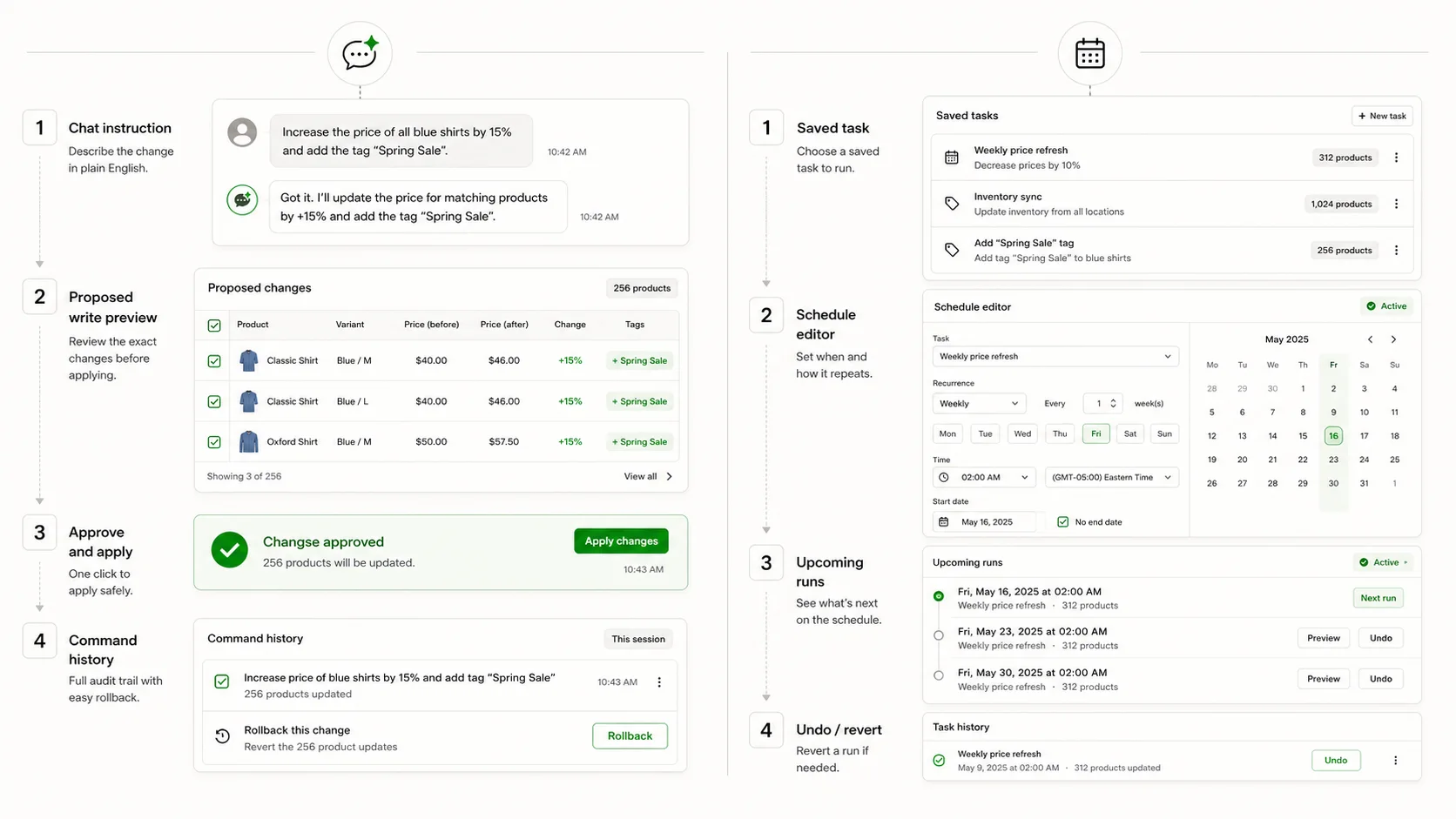 vs QuickEditverified 14 Sept 2026
ApiMate vs QuickEdit
Choose QuickEdit when the same edit repeats on a known cadence and you want the lowest paid tier with saved tasks. Choose ApiMate when each request is different, has conditions, and needs a row preview before it writes.
Read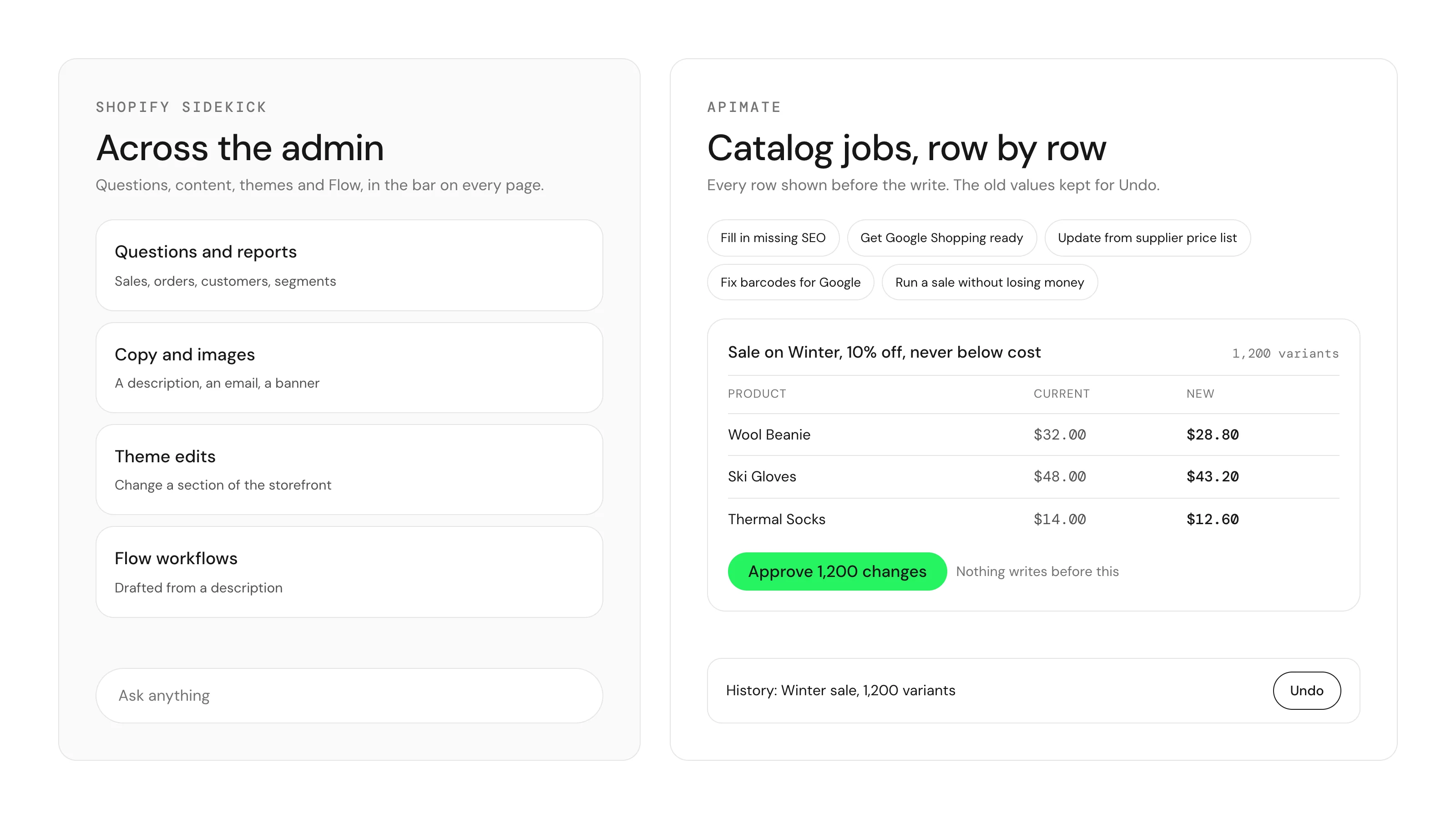 vs Shopify Sidekickverified 9 Oct 2026
ApiMate vs Shopify Sidekick
Use Sidekick for questions about your store, reports, content, theme edits and Flow workflows. Use ApiMate when the request touches hundreds or thousands of products, variants or metafields and you want to see every row before it writes and put the old values back after.
Read
The short version
Pick by where the change starts
Where the change starts decides the tool.
ApiMate
It is a question, or a sentence from a colleague, Slack or your own head
Instruction-first: scope and rule in one line, preview, one approval, revert.
It starts in a spreadsheet, a supplier feed or a migration file
File-first: column mapping, huge imports, platform migrations.
The same change runs on a schedule
Task-first: save the rule and run it weekly. ApiMate runs a job when you ask.
Try the instruction-first one
Free plan, preview on every change, revert from history. If your job starts in a spreadsheet or on a schedule, the pages above say which app to install instead.