
2026-04-21
Shopify bulk editor vs CSV vs API
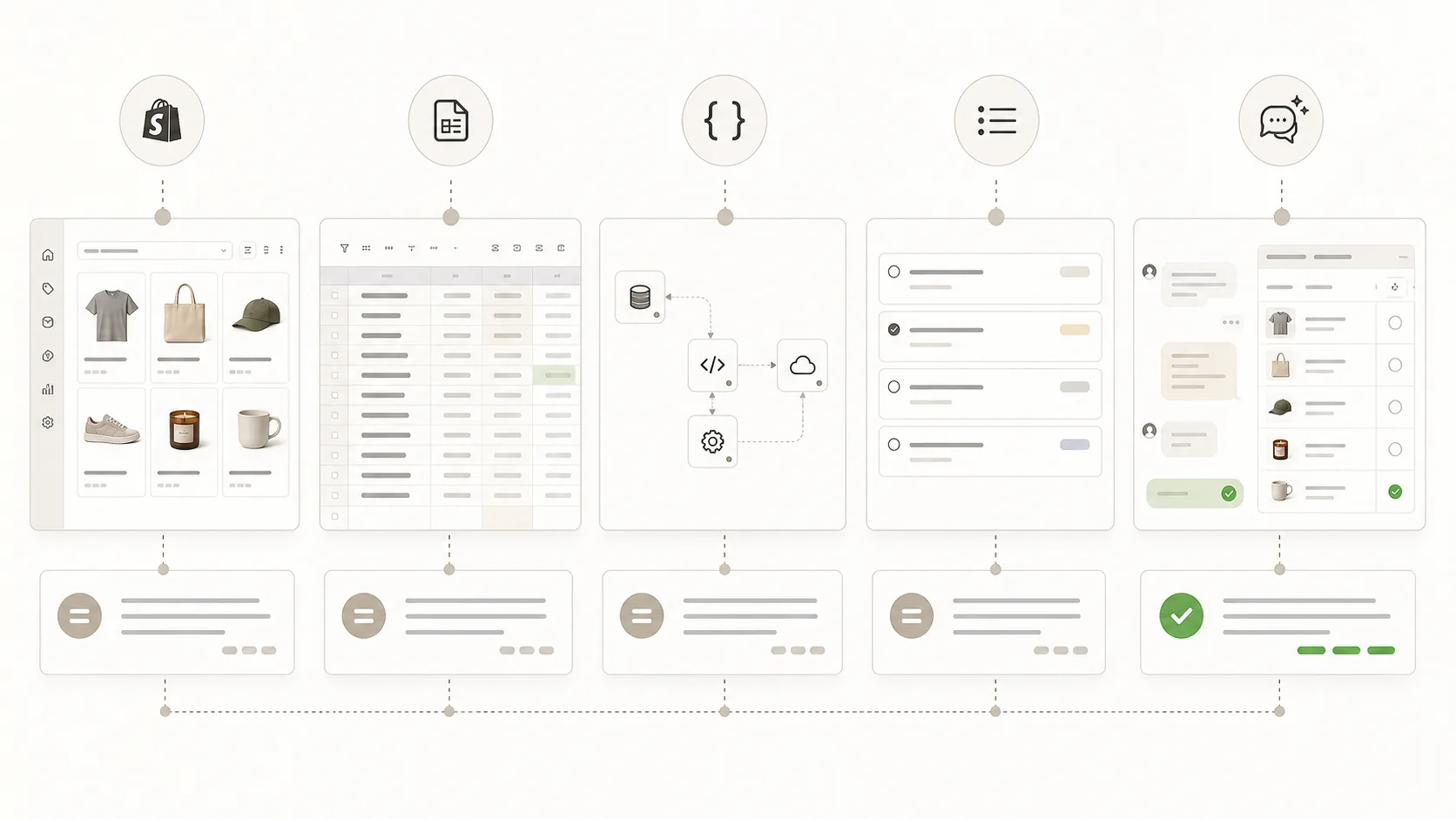
Start with where the Shopify change begins. Use the native admin for small table edits, CSV or Matrixify when a file is the source of truth, a bulk editor app for recurring configured tasks, an API for engineering-run jobs, and ApiMate when the change starts as a clear operator instruction that needs review before write.
The short answer
No single layer wins every Shopify bulk-edit job. The right layer depends on the starting point, the repeat pattern, and the cost of a wrong write.
| Starting point | Best first layer | Why |
|---|---|---|
| Small selected product set | Shopify native bulk editor | The admin table is fast when the field is visible and the scope is small. |
| Prepared spreadsheet or supplier file | CSV or Matrixify | The file is already the source of truth, so imports and exports fit the job. |
| Same task repeats on a cadence | Ablestar, Hextom, or QuickEdit | Task builders fit saved filters, schedules, and repeatable field changes. |
| Engineering owns the workflow | Shopify Admin API | Code is best when the job is part of a larger system or data pipeline. |
| Request starts in chat, Slack, or a meeting | ApiMate | The instruction becomes a proposed write that the merchant reviews before apply. |
Use this as a routing table, not a ranking. Many stores need more than one layer.
When a bulk editor app is the right answer
A dedicated bulk editor app is the default answer for recurring catalog maintenance that a merchant is willing to plan as a task. Filters, field mappings, scheduling, and saved templates belong here. Apps like Ablestar and Hextom have years of coverage for the common cases, plus previews and undo that are well-integrated into their own admin.
The cost the merchant pays is task configuration. Every change has to be prepared inside the app before it can run. That is a reasonable trade when the change repeats and the configuration can be reused across many runs.
- Signal this fits: the same change runs on a cadence, such as end-of-season markdowns or monthly inventory sync
- Signal this fits: the team already lives inside the bulk editor app and has saved templates
- Signal this does not fit: the change is a one-off and the configuration time is larger than the edit itself
- Signal this does not fit: the instruction is specific enough that typing it would be faster than configuring a task
When CSV is the right answer
CSV, either native Shopify or Matrixify, is the right answer when the source of truth already lives in a file. Imports and exports are a natural fit for migrations between platforms, supplier feeds, and very large updates where file shape is stable. The mapping is explicit, the scale ceiling is high, and the file is auditable before the run.
CSV is also the default when the edit requires arithmetic or data manipulation that is easier to express in a spreadsheet formula. Calculating a new price from a cost column, joining two data sources, or normalizing a field across thousands of rows belongs in a sheet, not in an instruction.
- Signal this fits: the data already sits in Excel, Google Sheets, or a supplier CSV
- Signal this fits: a migration between ecommerce platforms
- Signal this fits: very large, one-time catalog updates with a clean file shape
- Signal this does not fit: a small slice update such as 30 products out of 5,000 where building the file takes longer than the edit
- Signal this does not fit: a change that starts in a Slack message and has no file yet
When an API or chat layer is the right answer
An API layer or a chat layer is the right answer when the change starts as an instruction and the merchant wants the shortest path from intent to a reviewed action. Custom API scripts fit engineering teams that write code for recurring jobs. A chat tool such as ApiMate fits operators who want the same flow without writing code: the instruction is the spec, the proposed write is shown for approval, and the record of the change lives in the chat history.
The trade-off is that this layer does not replace CSV for migrations and does not replace task-based editors for structured recurring work. It wins on speed for one-off or ad-hoc changes where the merchant already knows the target set and the change, and on safety through the built-in approval and revert flow.
- Signal this fits: changes that start in Slack or a meeting, such as "archive everything without stock from last season"
- Signal this fits: mixed daily workflows across products, inventory, prices, and orders
- Signal this fits: cases where rollback matters because the change is experimental or time-bound
- Signal this does not fit: a catalog migration between platforms
- Signal this does not fit: an edit that needs precise numeric manipulation across columns, which is easier in a spreadsheet
A decision table
One way to cut through the overlap is to ask where the change starts and how often it repeats. This table is the same decision in operator language.
| Question | If yes | If no |
|---|---|---|
| Is the data already in a clean file? | Use CSV or Matrixify. | Do not create a file just to make a small instruction fit CSV. |
| Will the same edit run again? | Use a task builder or scheduled import. | Use native admin or ApiMate for one-off work. |
| Does the job require code or system integration? | Use the Shopify Admin API. | Avoid custom code for a simple merchant-owned edit. |
| Does the operator already know the target set in words? | Use ApiMate or native admin, depending on size. | Use filters, files, or code to define the target set first. |
| Would a wrong write need fast rollback? | Prefer a layer with preview, approval, and stored prior values. | A basic table edit may be enough. |
The safest tool is the one that matches the source of the change.
Example Shopify bulk-edit jobs
The same store can hit all of these jobs in the same month. That is why the decision should start with the job, not with a favorite tool.
| Job | Good first choice | What to watch |
|---|---|---|
| Supplier sends a new price and inventory file every Monday | Matrixify, CSV, or an API sync | Column mapping, duplicate SKUs, and whether the feed overwrites merchant edits. |
| Merchant wants to archive all products from a finished campaign | ApiMate or a task-based bulk editor | The target set should be reviewed before status changes apply. |
| Team needs to add a sale tag to 500 products for one weekend | Ablestar, Hextom, QuickEdit, or ApiMate | Make sure the revert or cleanup step is planned before launch. |
| Engineering needs to sync a custom PIM field into product metafields | Admin API or scheduled import | The sync owner should handle retries, logs, and partial failures. |
| Operator notices 37 variants with missing material metafields | ApiMate or native admin, depending on row count | Variant identifiers matter more than the edit speed. |
If the job starts in a system, use a system-owned workflow. If it starts with an operator request, use a reviewed operator workflow.
Mistakes that create cleanup work
Most painful bulk-edit cleanup comes from a mismatch between the job and the tool. The tool runs, but the prep layer was wrong.
A CSV import can be technically valid and still be wrong if the file was built from stale data. A task builder can preview the exact wrong target set if the saved filter picked up old tags. A chat workflow can be too vague if the operator does not name the scope.
Simple safety test
Before any bulk write, the operator should be able to answer three questions: what rows will change, what values will change, and how the team will recover if the scope is wrong.
- Do not use CSV because it feels safe if nobody owns the source file after the run.
- Do not use a scheduled task if the business rule still changes every week.
- Do not use custom code for a merchant-owned one-off change that should be reviewed by the merchant.
- Do not approve a bulk write without seeing the row count and sample rows.
- Do not treat undo as a backup for fields the tool never captured.
How teams usually combine these layers
A mature Shopify team rarely picks one layer forever. The clean setup is usually a small stack where each layer has a job.
For example, Matrixify can own supplier files and migrations, Ablestar can own recurring scheduled maintenance, and ApiMate can own daily operator requests that need review before apply. The native Shopify admin still handles small quick fixes.
| Layer | Keep it for | Do not force it into |
|---|---|---|
| Shopify native admin | Small visible edits and quick inspection. | Complex targeting or rollback-sensitive campaign changes. |
| CSV or Matrixify | Migrations, supplier feeds, and spreadsheet-owned data. | Small ad-hoc instructions that do not need a file. |
| Ablestar, Hextom, or QuickEdit | Saved filters, scheduled changes, and repeatable field edits. | Ambiguous one-off requests where the operator needs to refine the scope. |
| Admin API | Engineering-owned systems, retries, logs, and integrations. | Merchant-owned changes that need business review. |
| ApiMate | Plain-language requests, review before write, and command history. | Full platform migrations or formula-heavy supplier feeds. |
The honest closing note
There is no single best tool for Shopify bulk edits. Most stores past a certain scale end up using two or three of these for different jobs. A CSV for migrations and supplier feeds, a bulk editor app for scheduled structured work, a chat layer for ad-hoc daily changes.
The mistake is treating one approach as universal. CSV for a one-off instruction is wasted prep. Chat for a clean migration is the wrong layer. The more useful question is not "which tool is better" but "where does this specific change start, and how often does the team run the same shape of change".
ApiMate fit
ApiMate should win the jobs that start as plain-language operator requests and still need review before write. It should not try to win migrations, supplier feeds, or engineering-owned pipelines.
Frequently asked questions
Is Shopify's native bulk editor enough?+
Yes, for small table edits where the products are easy to select and the field is visible in the admin. It becomes slower when the target set is complex, the field is hidden, or the team needs a clearer approval and rollback record.
When should I use CSV instead of a bulk editor app?+
Use CSV when the source of truth is already a spreadsheet, supplier file, PIM export, or migration file. Do not create a CSV for a small one-off edit if writing the instruction or editing in the admin would be faster.
When is Matrixify better than ApiMate?+
Matrixify is better for migrations, supplier imports, exports, and spreadsheet-led work. ApiMate is better when the change starts as an operator request and the merchant wants to review the exact Shopify write before it applies.
When does an API make more sense than an app?+
Use the Shopify Admin API when the edit is part of an internal system, warehouse feed, analytics job, or custom workflow that engineering owns. For merchant-owned one-off edits, an app is usually faster to operate.
Where does a chat layer fit?+
A chat layer fits when the operator can describe the change clearly, but does not want to build a task, prepare a file, or write code. The safety test is whether the tool shows the proposed write before it touches Shopify.
Can one tool cover every Shopify bulk edit?+
Usually no. CSV or Matrixify is still better for migrations and supplier files. A task editor is better for saved recurring work. A chat layer is better for day-to-day requests where the merchant needs to review the exact write before apply.
What should I check before approving any bulk write?+
Check the target row count, sample rows, current values, new values, and rollback path. If the tool cannot show those clearly, run a smaller test or use a workflow with a stronger preview.
Related pages
Shopify bulk product editor
The main product page for chat-driven bulk edits with approval and undo.
Best Shopify bulk product editor
A comparison of Matrixify, Ablestar, Hextom, QuickEdit, and ApiMate.
ApiMate vs Matrixify
Where file-driven and chat-driven Shopify workflows each fit.
Bulk update Shopify prices
A concrete workflow where targeting and rollback matter.
Bulk edit Shopify metafields
How metafield edits change the tool choice.
Try ApiMate on a real Shopify catalog
Install from the Shopify App Store. Every write is reviewed before it runs, and any change can be rolled back from the command history.