
Yes. Select the products in Products, click Bulk edit, and the table shows each product with its variants underneath. Add variant columns such as price, compare-at price, SKU and barcodes through Columns, edit the cells, Save. Shopify's own wording: "You can make changes to all details for multiple variants at one time using the bulk editor." For thousands of variants, CSV does the same with one row per variant.
What neither does well is structure. Adding a Size option to fifty products, removing an option nobody sells, renaming "Color 3" to "Navy" across a catalog: these change which variants exist, and a CSV round trip that drops the option columns deletes the existing variants and creates a default one.
Stock is the other exception. Inventory per location lives in the Inventory section, not the product bulk editor, and is covered in bulk editing inventory by location. The table below shows where every variant field is edited.
Where each variant field is edited
A product with four sizes has four prices, four SKUs, four barcodes, four weights and four stock levels. Title, description, vendor, product type, tags and status belong to the product and are shared by every variant. The level decides what a bulk edit touches.
| Field | Lives on | Bulk editor | Product CSV column |
|---|---|---|---|
| Price | Variant | Yes | Price |
| Compare-at price | Variant | Yes | Compare-at price |
| SKU | Variant | Yes | SKU |
| Barcode | Variant | Yes, up to 20 per variant | Barcodes |
| Weight | Variant | Not documented | Weight value (grams), Weight unit for display |
| Stock quantity | Variant at a location | Inventory section | Inventory quantity (one location); inventory CSV for more |
| Continue selling when out of stock | Variant | Not documented | Continue selling when out of stock |
| Option names and values | Product and variant | No | Option columns, risky round trip |
Column names are the current ones from Shopify's CSV help page. Older names such as "Variant SKU" are still accepted on import.
Worked example: a T-shirt shop, 40 products in 5 sizes
Take a shop with 40 T-shirts, each in S, M, L, XL and XXL: 200 variants. Two jobs land on the same morning. XL prices go up by $2 because the blank costs more, and a delivery of size M needs to be counted in.
Start by saying the level. "Set the price to 27" on these products would change all five sizes, which is not the job. The job is one variant per product, picked by option value. Count variants, not products: 40 XL rows, not 40 products and not 200 rows.
In the admin bulk editor. Products, filter to the T-shirts, tick them, Bulk edit, add Price through Columns. The table lists every variant under its product, so you scroll to each XL row and type the new price. There is no formula and no "only XL" filter, so this is 40 sums done by hand and 40 cells typed. Save writes them at once, with no undo. Fine for this size of job; tedious for the next one.
In a CSV. Export the products. Each variant is its own row with the URL handle repeated, so the file has 200 rows. Filter the option value column to XL, put =price+2 in a helper column, paste the results back into Price as values, import with "Overwrite products with matching handles". Keep URL handle, Title and the option name and value columns in the file: Shopify's help page warns that if Option1 name and Option1 value are omitted, "a new default variant is created and existing variants are deleted". Watch the SKU and Barcodes columns while the sheet is open, because spreadsheets drop leading zeros and turn long barcodes into 1.23E+12; bulk editing SKUs and barcodes covers the fix.
The size M delivery is not a product edit at all. Shopify says inventory is bulk edited "only from the Inventory section", so the 40 M counts go in there, or through the inventory CSV, against the location that received the boxes.
| Job | Rows | Admin bulk editor | Product CSV |
|---|---|---|---|
| XL price +$2 | 40 variants | Type 40 prices | Filter XL, formula, import |
| Count in size M | 40 variants at one location | Inventory section instead | Inventory CSV instead |
Variant-level jobs in one catalog. The tool changes with the row count and whether the change is a sum.
Adding or removing options
Structure edits change which variants exist. In the admin they are done per product, on the product page. Options multiply: adding sizes S to XL to a product that already has two colours is eight variants, not four.
Removing an option deletes every variant built from it, and a deleted variant takes its SKU, barcode and stock levels with it, along with the history of what it sold. A product must keep at least one variant. Neither the bulk editor nor a careful CSV is a safe way to do this across many products, which is why most bulk-edit apps leave it out too.
New variants need a price. A variant created without one is 0.00 and can be sold at 0.00, so any method that adds variants should show the price of each new row before it writes.
Where the bulk editor runs out
The comparison of Shopify bulk edit methods shows where each tool stops for every field; for variants, three things send people past the free tools: rules by option value ("every XL"), percent changes without a spreadsheet, and option changes across many products. Two other limits from the CSV page matter here: variant metafields are not supported in product CSV import or export, and barcodes are separated by semicolons, with the old Barcode column and the new Barcodes column never in the same file.
Ablestar, Hextom, QuickEdit and Matrixify let you choose variants as the resource, filter them by option value, price, SKU pattern or vendor, and apply a formula. Several keep a backup window for undo; the length depends on app and plan. Few of them add or remove options across products, and the ones that touch structure do it through import files, so check the listing before you buy for that job.
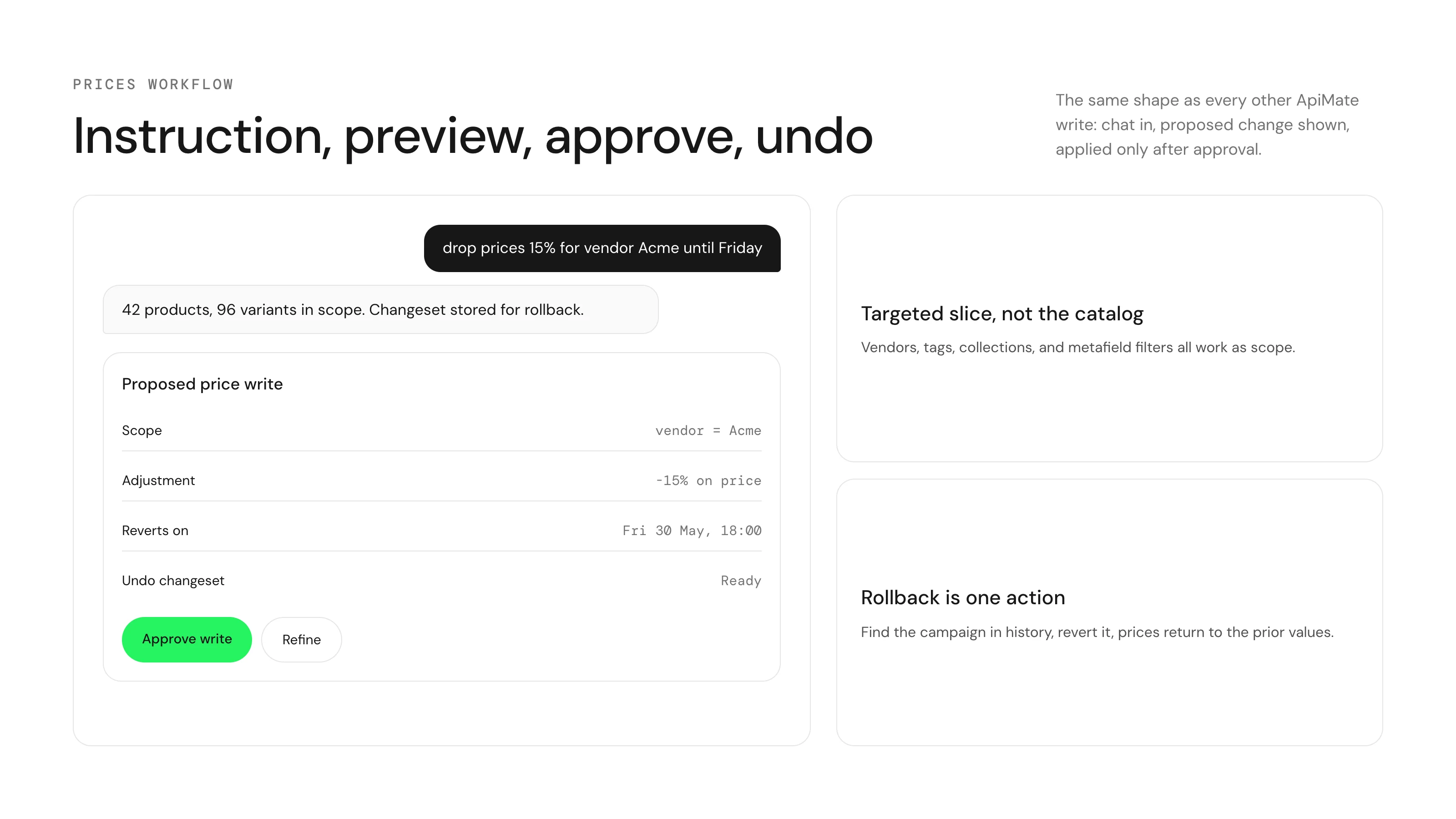
ApiMate takes the rule as a sentence: "raise the price of every XL variant in T-shirts by $2" shows one row per variant with product, option values, current and new price, and the percentage or sum is turned into literal prices before you approve, so a retry cannot apply it twice. Structure works the same way: "remove the Ships From option from these 40 boards" is previewed per variant, a product that would be left with no variants is refused, and deletes are marked as permanent. Field edits revert from history; deleted variants and added options do not. The free plan covers small jobs.
Export first, whichever tool you pick
The admin and CSV have no undo, and no tool brings back a deleted variant. A product export taken before the edit is the record of every price, SKU and option as it was.
Questions
Can you bulk edit variants in Shopify?+
Yes. The admin bulk editor shows variants under each selected product and edits variant fields such as price, compare-at price, SKU and barcodes. CSV does the same with one row per variant.
How do I change the price of only one size across many products?+
The bulk editor makes you find and type each one. A spreadsheet filter on the option value works in CSV. An app or ApiMate can target "every XL variant" directly.
Can I bulk edit variant inventory in the bulk editor?+
Shopify says inventory is bulk edited only from the Inventory section, per location. The inventory CSV is the file route.
Can I add an option to many products at once?+
Not in the admin; it is done per product. Some apps and ApiMate do it across products with a per-variant preview. New variants need a price or they are created at 0.00.
Are variant metafields in the product CSV?+
No. Shopify states variant metafields are not supported for product CSV import or export.
Can I undo a variant bulk edit?+
Field edits: re-import your export, use an app backup window, or revert in ApiMate. Deleted variants cannot be restored by any of them.
Related
- How to bulk edit Shopify productsAdmin, CSV, apps, chat: what each one is for.
- How to bulk edit compare-at prices in ShopifySale prices, struck-through prices and how to end a sale.
- How to bulk edit SKUs and barcodes in ShopifyVariant identifiers without the spreadsheet damage.
- Bulk update prices and inventory in Shopify, with undoThe chat path, row by row.
Run this on your own catalog
Install from the Shopify App Store. Every write shows its rows before it runs, and applied jobs can be reverted from history.